QNAP four-bay NAS sells for 2599: where does the cheaper 2,000-yuan model cut costs?


QNAP's new four-bay machine went on sale on JD.com on October 9; model Qu405-N150-8G, 2599 元 for the unit. The specs look neat at a glance: four bays, two 2.5G network ports, two M.2 slots, and HDMI output. Not many at the same price offer all these at once.
But when I saw several tech accounts repost this news, their headlines all zeroed in on one sentence—“2,000 元 cheaper than the 16G version, which shows how expensive memory is now.” This sentence is only half right. The 2,000 元 saved does include memory, but it is not all. This article breaks down these 2,000 元, and also discusses whether this machine is worth buying now.
Put the conclusion first.
If what you want is a home four-bay that “works as soon as you plug in drives”, mainly for storing photos, backing up computers, and occasionally playing a video on TV, then at the 2599 price point, this configuration is adequate; dual 2.5G ports and dual M.2 are indeed rare at the same price.
But if your goal is “eight cores, a bunch of containers, and no stutter when transcoding”, it cannot deliver. It is the low-spec model in this generation of Qu405; both processor and memory have been traded off, as explained below.
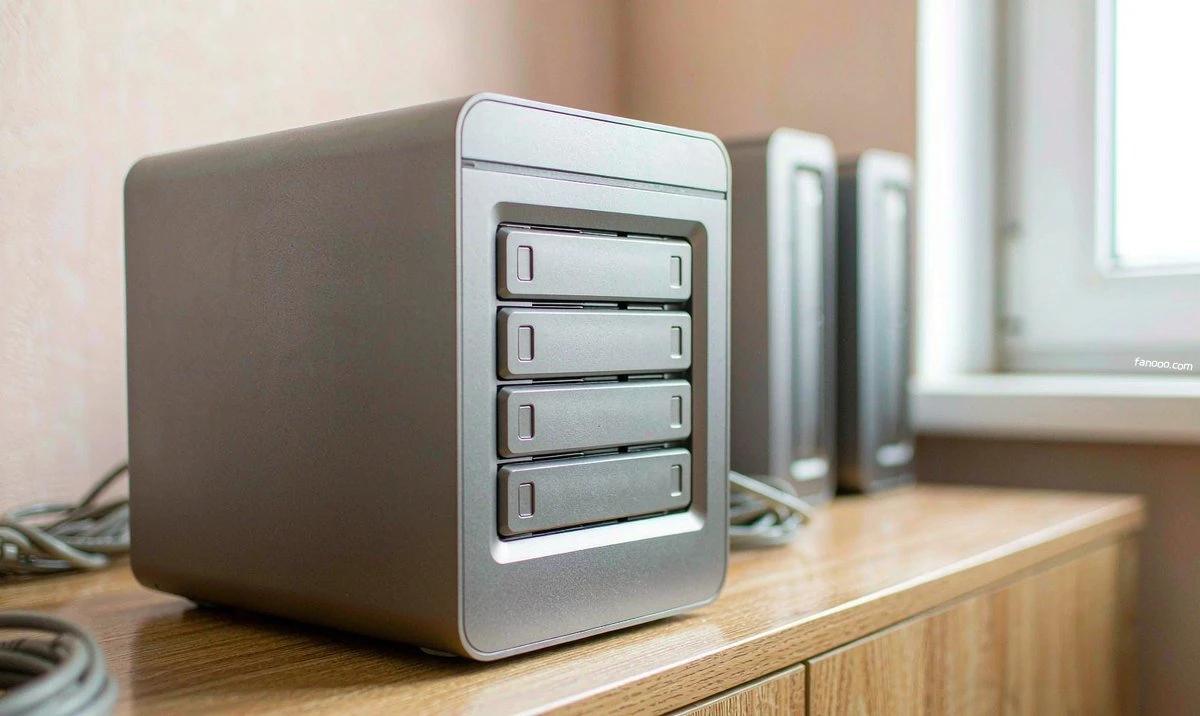
The 2,000 元 saved: the media says it is saved on memory, but the processor was also changed.
First, match the identities of the two machines. On JD.com there are currently two Qu405: one is the Qu405-N150-8G just listed on October 9, 2599 元; the other is the Qu405-N355-16G that has long been on sale, priced around 4599 元 (subject to the official current price). The two machines' chassis, drive bays, and network ports are basically the same set; the differences are concentrated in processor and memory.
- ProcessorThe 2599 model uses Intel N150—4-core 4-thread, max turbo frequency 3.6GHz, 6W base power entry-level model, integrated graphics with 24 execution units. The 4599 model is N355—8-core 8-thread, max turbo frequency 3.9GHz, 15W base power, integrated graphics with 32 execution units. The core count differs by a factor of two. (All above are specifications published on Intel's official website.)
- Memory8GB vs 16GB. Both are single-channel and neither supports ECC; the platform itself maxes out at only 16GB (also from Intel's specifications).
So “2,000 元 cheaper is saving on memory” misses half: the processor also dropped from 8 cores to 4 cores. The vendor launching a low-spec model at this point is actually following the memory market—when Synology launched the neo+ series in August this year, it also cut prices by swapping ECC memory for non-ECC, exactly the same approach (I wrote about this inHow to Choose a Synology DS Seriesthat article).
An item-by-item look at this machine's hardware
What the N150 can and cannot do
The N150 is an entry-level low-power chip Intel released in 2025 (Twin Lake); you can understand it as a version of the once-popular N100 with a slight frequency increase. It has integrated graphics, supports 4K 60Hz output and hardware decoding, and has no problem running Docker, acting as a file server, or being an always-on download and sync machine. But it has only 4 cores and single-channel memory, so don't expect it to handle heavy work: multiple 4K real-time transcoding streams, running a bunch of VMs at once, and heavy concurrent reads/writes will overwhelm it.
In other words, this is a “good enough” chip. For home photo storage, video watching, and backups, it is enough; if you want to treat it as a small server and push it hard, you will hit the wall at the processor first.
Drive bays and cache slots
Four 3.5/2.5-inch drive bays, support hot swap. Inside the chassis there are also two M.2 2280 slots, for read/write cache acceleration, or directly forming an all-flash storage pool. One point to note: these two M.2 slots are PCIe Gen3 ×1 lanes with limited bandwidth; just right as cache, but if you really use them as a high-speed all-flash storage pool, the speed will first be limited by this ×1 lane.
How much a four-bay can hold and how to configure redundancy is not the same as a two-bay; I calculated this inHow to Choose a Home NASthat article; simply put, don't just look at “how many bays”, look at usable capacity and fault-tolerance scheme.
Memory and expansion
It ships with 8GB and can be upgraded to 16GB by yourself. Because the platform is single-channel and does not support ECC, don't buy the wrong spec when adding memory yourself. There is no PCIe expansion slot in the chassis, and it does not support adding a 10GbE expansion card (the above specs are taken from the JD product page)—that is, the upper limit on the network side is locked to those two 2.5G ports; if you want 10GbE, this machine cannot provide it.
Dual 2.5G ports: if you buy them and can't use them, the money is wasted.
The part of this machine most easily misread is the network. The two 2.5G network ports support link aggregation, and together they can theoretically reach 5Gbps. But this refers to the capability of "the NAS side"; the other end has to match it.
If your switch, router, or the network card in the computer you copy files with is still gigabit at any link, the entire link will run at gigabit—the 2.5G port will automatically negotiate a lower speed for compatibility; it can connect, just not fast. So before buying, take a look: do you already have a 2.5G LAN? If not, this cost has to include the switch and network card. How to check each link in this chain, I covered inthe article on why internet speed didn't change after a broadband upgradewhere I went through everything from the ONT to the network card one by one.
Link aggregation also has a prerequisite: the switch must support it (or at least the peer must be able to cooperate). Many home switches do not support 802.3ad; plugging in the two 2.5G ports just gives you two independent 2.5G ports, which will not automatically merge into 5G. Keep this in mind when choosing a switch.
A few more things to know before buying
- 2599 元 is the barebone price; hard drives are extra.On JD, "the unit alone is 2599 元, and with one Seagate IronWolf 4TB it is 3599 元"; the difference for that hard drive comes out of your own pocket. How to choose drives—NAS-specific drives and ordinary desktop drives are not the same thing,How to choose NAS hard drivesThat article explained it separately by CMR and SMR.
- It is x86 and can run Docker and lightweight virtual machines.The system supports QTS and can also switch to QuTS hero to use the ZFS file system, with stronger data checksums, at the cost of being more memory-hungry—which is also why some people are willing to pay more for the 16G unit.
- 2-year warranty.It is positioned as mid-range for home use, not enterprise-grade; don't hold it to enterprise-grade standards.
- This memory price cycle is not over yet.No one dares to guarantee when it will come back down. Memory and hard drives are two different things, but the price-increase cycle is the same round—I wrote a separate article on the hard drive side a while ago, so I won't expand on it here.
Finally, one thing more important than choosing a model
NAS is "centralized storage," not "backup." Hard drives fail, accidental deletion happens, and the machine may get water damage or lose power; keeping all data in one box is putting all your eggs in one basket. For things you really care about, at least achieve "one local copy, one off-site copy": the off-site copy can be another device placed at your parents' home, or regular synchronization to a cloud server or object storage. How to plan this setup at home, I covered inthe cloud server purchasing pagewhere I put together a set of comparison criteria; use them as needed.
Final thoughts
To wrap up these three points: the positioning of this Qu405-N150-8G is clear—spend less money to get a set of 2.5G four-bay hardware, at the cost of dropping the processor and memory down a tier; before buying it, first confirm whether you have a matching 2.5G network, otherwise it is equivalent to paying for an interface you can't use; as for whether it is worth it, that depends on what you do with it, not on whether the spec sheet looks good.
The parameters and prices in this article come from reports by IT之家, 快科技, and 新浪财经 on October 9, 2026, as well as specifications on Intel’s official website and JD.com product pages; all prices are subject to the official current price, and I have not hard-coded the numbers. I have not tested this machine on real hardware; performance-related judgments are based on inferences from public specifications, so treat them as reference, not conclusions.
All article index · Back to homepage
Advertisement · This article contains promotional links
If you want to get hands-on, first you need a machine
The commands and services below all require a server that stays online long-term.
Alibaba Cloud server promotion entry →
If you're unsure what configuration to buy, read this first:How to choose a personal cloud server (configuration, bandwidth, renewal price)
Buy through this link,I won’t charge you any extra fee(the affiliate commission is settled by Alibaba Cloud); the price shown on the order page is the actual price paid. Models, prices, and promotion rules are subject to the Alibaba Cloud page; this article does not guarantee the discount level and does not constitute purchasing advice.