Zspace Z4Air: Is the chip of the 1899 yuan four-bay NAS sufficient?


On October 30 at 8 p.m., Zspace exclusively debuted the Z4Air on JD.com, four-bay, at a launch price of 1,899 yuan and a regular list price of 2,099 yuan. Where this price sits among four-bay models can be marked by two machines I have written about: the TerraMaster F4-213, which went on sale on October 20, is 2,399 yuan, and the QNAP Qu405-N150-8G, listed on October 9, is 2,599 yuan. All three are four-bay, and this one is 400 to 700 cheaper.
But the way it is cheap is different from the other two. The Z4Air uses a HiSilicon ARM chip, not x86. This determines almost everything that follows, including whether it can be your main NAS.
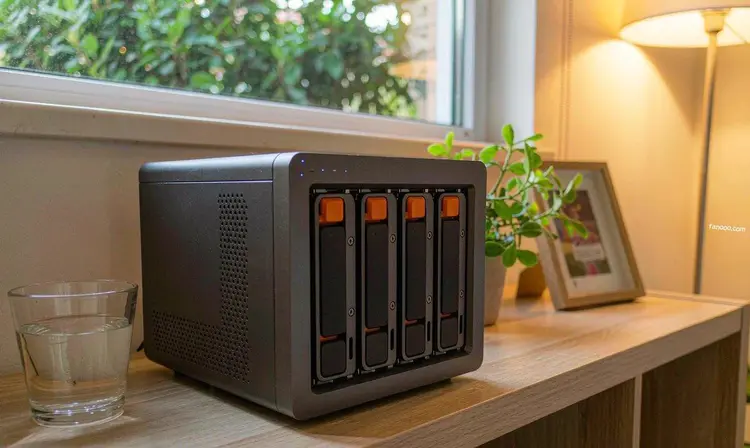
The official specs, first listed as-is
The chip is the HiSilicon Hi3781V730, an 8-core 64-bit Cortex-A73 at 1.8GHz, integrating a Mali-G52 MC6 graphics core and a 4TOPS@INT8 NPU. Bays are 4 SATA plus 1 M.2; a single SATA drive supports up to 32TB, M.2 up to 8TB, and the official whole-machine limit is 136TB. Interfaces include 1 2.5GbE port, HDMI 2.0b, USB 3.2, USB 2.0, Type-C, and NFC network setup. The system is the self-developed ZOS; officially listed features include file management, photo backup, 4K playback, lossless music, ebooks, downloads, backup of third-party online storage, and Docker.
The price column deserves a separate note. The ITHome article on October 30 wrote: “JD shows 2,099 yuan, with a launch discount of 200 yuan; after stacking the JD PLUS super subsidy coupon + national subsidy, it does not exceed 1,486.01 yuan.” This 1,400-plus figure is the e-commerce checkout page's basis, and it depends on whether you have PLUS, whether the national subsidy is still available in your region, and whether the coupons can still be stacked. Check your own checkout page before ordering; do not take the number in the news as a promise.
Where the 1,899 is cheap: what one ARM chip buys
For a four-bay finished NAS to be x86, the motherboard, cooling, and whole-unit cost cannot be pushed down, which is why the Qu405 sells for 2,599—it uses an Intel N150 and dual 2.5G ports, but has no PCIe expansion slot (these I covered inthe article about where the 2,599 saves moneyand checked item by item). The TerraMaster F4-213 takes another route, ARM RK3576, 2,399 yuan, seeking differentiation through the “direct mounting of old drives” feature.
Z4Air takes a third route: the more power-efficient tier within ARM, with this HiSilicon 1.8GHz eight-core paired with a 4TOPS NPU, pushing the whole-unit price down to 1,899. The money saved is not saved on bays but on compute and expandability—this machine has no PCIe slot, only one network port, and the official memory spec is not stated (I will address this separately later).
So whether “cheap” matters depends on how you use it. If what you want is “a quiet machine that can store, retrieve, and play videos,” ARM is entirely sufficient and more power-efficient; if what you want is “a server that can install all kinds of services,” then the few hundred yuan saved will sooner or later be paid back in other ways.
Don't treat that 12.8% figure as a performance conclusion
The official claim is that this chip is about 12.8% stronger than the RK3588; the promotional image gives two specific scores: 13074 and 11587. What tool these two numbers were run with, single-core or multi-core, how much power was supplied, and what the cooling conditions were—none of this is stated officially.
My experience is that this kind of “X% stronger” usually comes from one multi-core benchmark, and NAS daily workloads do not look at that at all. File copying is bottlenecked by the network port and hard drive, transcoding is bottlenecked by whether there is a hardware decoding unit, and running containers is bottlenecked by whether the image has an arm64 version. A benchmark score 12.8% higher will not make your 2.5G network port run 12.8% faster, nor will it make a mechanical drive spin any faster.
This is not to say the chip is bad. For a machine mainly focused on “storing photos, playing videos, and occasionally running two containers,” this chip has enough performance headroom. I just want to say that this percentage has close to zero reference value for judging whether you should buy it. To really judge, look at the three points below.
The three real sticking points when ARM is your main NAS
One: whether the container image has an arm64 version
This is the most concrete wall for an ARM NAS. A large number of images in the Docker ecosystem are built only for amd64; when pulled onto an ARM machine and run, the error is exec format error—not because the configuration is wrong, but because this image simply has no version for your architecture. Several commonly used major projects now basically have arm64, but slightly more niche ones, or some small tool you compiled yourself, very likely do not. I covered this inthat TerraMaster articleI mentioned this pitfall earlier; the two machines are in the same situation.
The check is crude but effective: take the image names of the containers you plan to run and check the tags page on Docker Hub for an arm64 tag. If three or more don’t have one, don’t count on this machine as a container host.
2. The OS cannot be changed
ZOS is a closed system developed in-house by Zspace; you cannot install Synology, cannot install fnOS, and cannot flash third-party firmware. For the vast majority of home users this is an advantage—no tinkering needed, usable out of the box; for tinkerers it is a hard constraint. I have discussed this inmy piece on the Zspace brandand already did the math there; I won’t repeat it here, only remind you: before buying, be clear whether you want an “appliance” or a “server”; these two paths are mutually exclusive on this machine.
3. Memory: not a word from the official side
I went through the official press release and the retellings from IT之家, 快科技, 凤凰网, and 腾讯新闻, and none of them states the memory capacity or whether it can be added by yourself. This is critical for a NAS—ZOS’s photo indexing, Docker containers, and simultaneous multi-user access all consume memory. A four-bay machine with 4GB versus 8GB feels like two different machines in use.
So this item can only wait for the physical unit or the product detail page. I won’t guess, nor fill in a number for the vendor.
The 4TOPS NPU is not for running large models
This is the part I most wanted to say in this piece.
The term “AI NAS” has been used somewhat messily these two years. The 4TOPS on the Z4Air is INT8 fixed-point compute, and the spec is inference throughput; what this magnitude can run are small models such as detection, recognition, and feature extraction—and that is exactly what the official side lists: natural language search, face recognition, pet recognition, and smart album classification, with emphasis that processing is done locally and photos do not leave the device. This part is genuinely useful: once you have tens of thousands of photos at home, “find images by a sentence” and “automatically recognize who is who” are much more practical than an extra network port.
But it does not mean you can run a decent language model on this machine. What limits large models is not TOPS but memory capacity and memory bandwidth—the weights must be loaded entirely into memory first, and if they don’t fit, there’s no point discussing it. The manufacturer’s press release never uses the words “large model” or “LLM” from beginning to end; it only lists those recognition functions above. I take it literally: the AI on this machine is AI for organizing photo albums, not AI to chat with you. If you want to use a NAS as a local AI host, the direction is not on this machine; as for which digit in this TOPS number is the real threshold, I have, inthat article about local AI NASbroken it down.
In addition, the official release also mentions opening native capabilities such as Zspace Photos, Zspace Video, and Zspace Music to third-party AI agents for invocation, saying “WorkBuddy integration, Skill/Agent launch.” This is a software-layer promise; I don’t have the machine and cannot verify it, so I’ll note it here for now.
136TB and a single 2.5G port: these two numbers need to be read together.
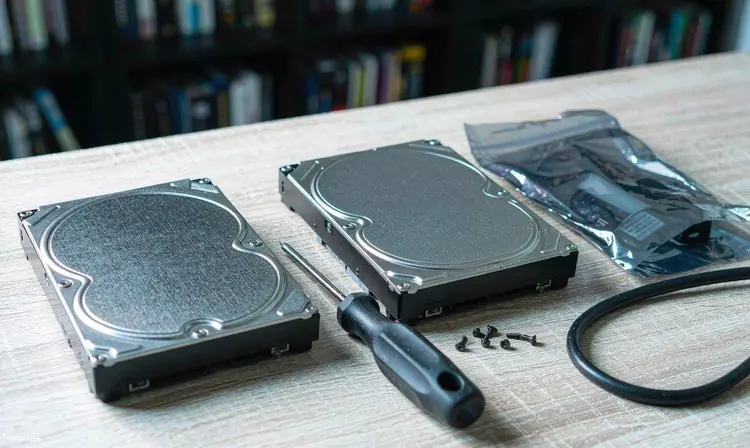
136TB is calculated on paper as four 32TB drives plus an 8TB M.2. In reality two things discount it: first, a single 32TB drive is currently at the top of capacity, the price is subject to the official current price, and the cost of four drives will most likely exceed the host itself; second, after redundancy the usable capacity must be reduced—with four drives in single-drive fault tolerance, only three are usable.
On the 2.5G port side, the line rate is 2500Mbps, which works out to roughly 300MB/s or so for file transfer, before deducting protocol overhead. A multi-drive array’s sequential read/write can reach this level, so this port is not useless and is noticeably better than gigabit. But note that it is “one port”: when several devices at home read at the same time, bandwidth is shared; if one is copying large files, another watching a 4K original disc may stutter. If you want dual-port aggregation or per-port traffic separation, this machine doesn’t have it.
By the way, a contrast. For the QNAP unit mentioned earlier, I said in the article, “I bought the dual 2.5G ports and can't use them, so the money is wasted”—that was said about the 2599 one; with this unit, it's the opposite: if you want a second port, you can't add it even by paying more.
My judgment: three types of people, three answers
Suitable for buying: people whose home phone photos and videos have already piled up to several T, who want one machine to handle both backup and media, and who don't want to touch the command line. At 1899 you get four bays, a 2.5G port, an out-of-the-box usable system and Docker—this threshold is indeed low, and it's less hassle than buying two large-capacity portable hard drives plus a membership to an online storage service.
Not suitable for: people who treat NAS as a home server, need to run a bunch of containers, want 10GbE, want virtualization, want to change the system, or want to run local large models. This machine's three shortcomings (expansion, system, unknown memory) all land exactly on your requirements.
Can wait a bit longer: people with an old four-bay machine on hand won't gain much by switching to this; those who want to use it as “the only machine at home” and care about memory should wait until the product page clearly states the memory; another group is those drawn by the word “AI”—if what you expect is a conversational assistant, this machine can't provide it, so wait for the next generation or simply look at other directions.
One last honest word: this machine's real selling point isn't 136TB, nor that NPU, but the threshold itself of “four bays down to 1899.” It turns the question “should I get a NAS” from “is it worth more than two thousand” into “is it worth the money of a mid-range phone.” As for whether it's comfortable to use after buying, that depends on which of the above categories you belong to.
Five things I will confirm myself before placing an order
- How much memory there is and whether it can be added by yourself. The official launch information doesn't state it; ask customer service for a definitive answer, or wait for the details page.
- Which PCIe generation and how many lanes the M.2 is. This determines whether it can only serve as cache or as a real storage drive.
- Whether the four-bay trays are tool-free or screw-in, and whether they support hot swap. The experience of installing four drives differs a lot.
- Exactly which formats 4K transcoding supports. The official statement says “multi-channel real-time 4K transcoding” but does not give a codec format list; this can only be judged by actual testing.
- Whether the national subsidy and PLUS coupon can be stacked, and whether your region still has quota. That 1486.01 number is from someone else's checkout page; it may not be yours.
Sources for this article: Zspace's official WeChat account release for Z4Air published on October 30, 2026 (chip, bays, ports, ZOS features, in-car head unit adaptation, JD.com exclusive first launch on October 30 at 20:00); ITHome on October 30, 2026, “Zspace Z4Air four-bay NAS on sale: equipped with HiSilicon Hi3781V730 octa-core chip, first-launch price 1899 元” (e-commerce page wording for the price and “no more than 1486.01 元 after stacking PLUS coupon + national subsidy”; official claim of about 12.8% stronger than RK3588); Kuai Technology report on October 30, 2026 (regular price 2099 元 / first-launch price 1899 元, NPU-related feature statements). Comparison model prices are taken from public reports on October 9, 2026 (QNAP Qu405-N150-8G, 2599 元) and October 20, 2026 (TerraMaster F4-213, 2399 元), respectively. All parameters, test scores, and prices are relayed from the above sources without conversion; nominal computing power and test scores are subject to the manufacturer's official figures. The judgments in the article about the ARM container ecosystem and the impact of memory are personal experience and have not been tested on this model.