Is Zspace worth buying: real trade-offs for zero-experience users


Most people who ask about Zspace in the backend start the same way: "I'm not really into tinkering; I just want to buy something that works out of the box."
The next sentence is usually: "But some people say its cooling isn't good, some say its system is too closed—so can I actually buy it?"
These two sentences actually sum up the controversy around Zspace. It is not a machine that wins on specs—by processor, by drive bays, by expansion slots, at the same price it is often not the one that gives the most. Its selling point has always been something else: after unboxing, you don't need to learn anything else.
This positioning made its reputation, and is also the source of almost all its complaints.
In September it did something that went fairly mainstream. According to an official announcement on Zspace's official Weibo on September 4, the in-car version officially launched on BYD's in-car app market (DiLink), covering the Dynasty, Denza, and Fang Cheng Bao series, and a generic version was also released. A September 25 SMZDM article checked the official wording against real owner reviews, noting that BYD Ocean Network models do not yet appear in the list, and no statement was seen about separate in-car charges (the above follows public reporting; I cannot directly verify the original official Weibo post and can only relay it faithfully).
But let me say this upfront: this does not change whether you should buy it. What really determines whether you will regret it later is the following three calculations.
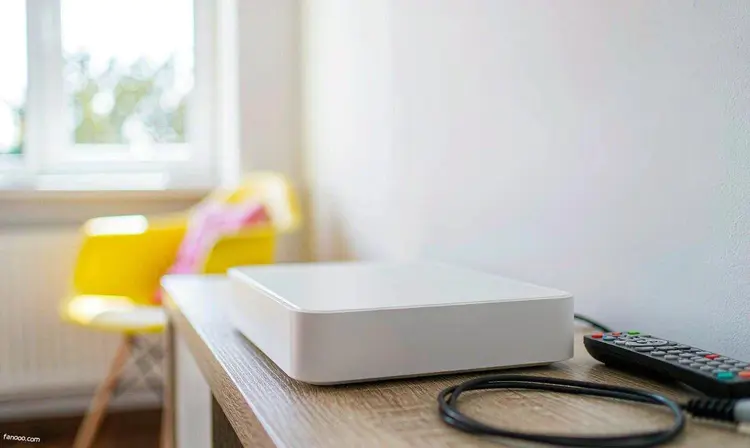
Which path does Zspace take
In one sentence: it sells "private cloud" as a home appliance, not as a server.
The system is the self-developed ZOS, not a one-layer hack of a Linux desktop. The clients are fairly comprehensive—phone, tablet, computer, and TV are all covered, and the HarmonyOS client is already online. The signature app is Zspace Video—drop videos into a folder, and it scrapes posters, synopses, cast and crew lists, and ratings by itself, and playback progress can continue across devices. Elders at home can watch with a remote—this is one of its most tangible values.
More critical is remote access. Zspace comes with built-in reverse tunnel / port forwarding; you don't need to deal with public IP, DDNS, or port forwarding—open the App outside and you can connect back home. For people who know nothing about networking, the saved learning cost is worth more than two extra drive bays.
The product line is divided fairly finely by drive bays and positioning, roughly into these tiers (specs come from Zspace's official website and e-commerce listings; please refer to the official current price for pricing):
- T series(T6 / T2S): mobile form factor and Small Magic Box, focused on grab-and-go use;
- Z2 series(Z2Pro / Z2 Ultra): two-bay. Z2 Ultra uses an Intel N150 quad-core, with two SATA slots (compatible with U.2 SSDs) plus two M.2 slots;
- Q4: four-bay balanced model, Intel N95 with 8G memory, four SATA slots plus dual M.2, and a 2.5G network port;
- Z4Pro / Z4Pro+: four-bay mainstay. Z4Pro+ moves to Core 3 N355 (performance version), 16G memory, dual 2.5G network ports with link aggregation support, plus an eSATA expansion port;
- Z series flagship(the Z423 / Z425 generation): intended for people who want to run Docker, virtual machines, and local AI retrieval on the NAS.
Also, both Q4 and Z4Pro+ are x86 architecture. Before buying, it's best to confirm whether the model you're interested in is x86—it directly determines how well Docker and virtual machines can run; ARM models are not on the same level as x86 in this regard.
Incidentally, Xiaomi's first NAS this year also takes this path, only cuts more aggressively,you can compare them side by side。
First calculation: for remote access, is the free tier actually enough
Zspace's reverse tunnel / port forwarding is free, but the free tier has limits.
A comparison circulating in the community (based on screenshot wording; refer to the latest official statement): for the free tunnel speed included with domestic off-the-shelf NAS, UGREEN lists 50Mbps, Xiaomi lists 40Mbps, and Zspace lists 30Mbps, which is on the lower side among these. Another September review mentioned that after recent ZOS version updates, external network access measured 25–30Mbps.
30Mbps converts to about 3.75MB/s. It is enough for high-bitrate 1080p, but tight for pulling 4K original discs—a 4K original disc often has a bitrate of 50–80Mbps, and dragging the progress bar directly will keep spinning.
So this calculation has to be split into cases:
- At home (within the LAN): it uses your own network cable and 2.5G network port; the bottleneck is the switch, cable, and hard drive, and has nothing to do with the tunnel. This is the scenario where Zspace performs best, and also the scenario most people actually use most.
- Out of the house (remote): it goes through the tunnel channel or your home broadband'suplinkBandwidth. The latter is the easiest to overlook—many homes have gigabit downstream but only 30M upstream, or even lower; no matter how powerful the NAS is or how fast the reverse tunnel / port forwarding is, the ceiling for pulling videos remotely is this upstream link.
If you really need to reliably pull large files over the Internet, the community summary is quite apt: "Free, stable, traffic—the impossible triangle of reverse tunnel / port forwarding." If you want all three, you usually have to build your own relay, which means extra money and extra learning, and has nothing to do with the NAS itself. Some people choose to upgrade their home broadband upstream, while others find another machine with a public IP to act as a relay—how to take the latter path specifically won't be expanded here, but if you need to choose a machine, you can first read thiswrite-up on cloud server selection, which goes into detail on how to choose the configuration.
My advice is simple: before placing the order, first use the mobile App to test the speed of the free reverse tunnel / port forwarding and see whether it can meet your most common scenario. If you only occasionally watch a show or transfer a document while out, 30Mbps is completely enough; if you expect to smoothly watch 4K original discs on a high-speed train, then fix bandwidth first, not replace the NAS first.
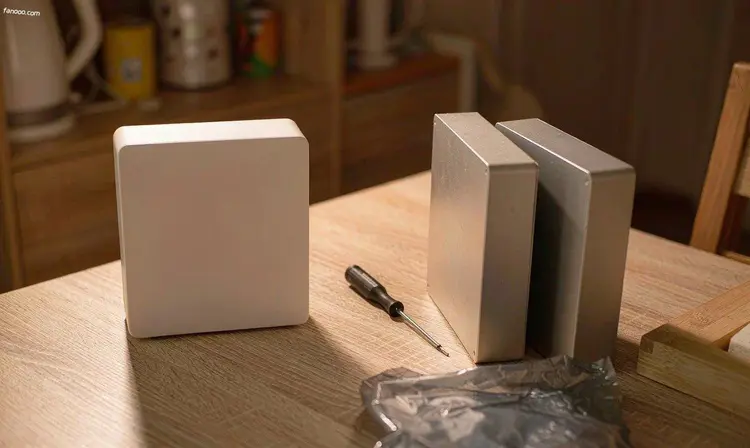
The second account: cooling and noise—can it go in the bedroom?
This is where the controversy around Zspace is most concentrated, and it needs to be made clear.
There are community records with specific temperatures: a Z4Pro user reported that the machine was at 71℃ right after startup, and when running photo album processing at 30% CPU usage, the temperature jumped to 78℃. Some teardown analyses point the cause to the heatsink structure (this is a user's personal observation, not an official statement). The SMZDM article in September went through more than a year of repair posts and mentioned that on Bilibili, from May to September, there were at least nine videos of users cleaning dust, replacing fans, replacing thermal paste, and modifying heatsinks; some also reported that the screw specifications for the heatsink are hard to buy.
But counterevidence must also be presented: in the same batch of discussions, some users said they used it normally for a year without problems, and some Z4S users said that with regular dust cleaning it remained stable. Extreme individual cases are probabilistic events and should not be extrapolated.
So the more accurate statement is: it is not that "every unit runs hot," but that "this machine has requirements for its placement location." Stuffing it into a sealed low-voltage cabinet, pressing it into the innermost layer of a TV cabinet, or putting it under the bed are all unsuitable. Leaving it some ventilation space is more useful than anything.
The vendor is also making changes. Z4Pro+ official marketing uses a new cooling architecture: intelligent temperature-controlled dual fans, a silent heat-pipe cooler, and phase-change heatsinks, while reducing overall power consumption and noise. This is the official wording; actual performance depends on the unit you have and its load.
If you really plan to put it in the bedroom, there are two easier approaches: one is to go withan all-flash, fanless route, which basically has no mechanical noise, at the cost of SSD prices; the other is to move the machine to the living room or study, leaving only the backup and audio/video endpoints in the bedroom. Don't shut the machine into an airtight cabinet just to "look tidy"—that is the placement most likely to cause problems.
The third account: a closed system—is it an advantage or a disadvantage for you?
Zspace's system does not open up low-level permissions much, and third-party packages are far less abundant than on Synology. This is no secret, and the vendor has no intention of competing with Synology in this regard.
What it gets in return is something else: you are unlikely to break the system. The price of the kind of freedom on Synology and QNAP is many configuration items and deep hierarchy—the abstract relationships among storage pools, volumes, and shared folders alone are enough to confuse a beginner for a while, and if a fault really occurs, you still have to troubleshoot it yourself. Zspace tucks all of this away, at the cost that when you want to change something, you can't: some advanced network configurations simply won't run in its Docker, and its virtualization capability is also relatively weak.
Two other old complaints repeatedly mentioned in the community:
- Zspace Video's TV series categorization: multi-season shows occasionally lose episodes or are grouped into the wrong season, and such posts still exist today. If you plan to rely on it to natively manage a large TV library, it is advisable to first test a multi-season show before deciding whether to move your entire collection over.
- Dolby Atmos won't light up: this depends on the specific chain—the playback end, the source material, and the soundbar's passthrough capability are all involved, so it is not necessarily a NAS problem. According to public discussions, using a third-party player connected to its SMB share is actually more hassle-free.
If you are already used to scraping metadata yourself, you can use a third-party player to connect to its SMB share and bypass Zspace Video for the poster wall—this way, "the system isn't open enough" has much less impact on you.
Back to this new matter of "getting it into the car"
The car head unit can directly watch your home video library, which sounds appealing, but it depends on what it relies on.
According to public owner sharing, after installing the car head unit side, you scan a code to log in to your own Zspace account, and it still uses your own NAS and home bandwidth. In other words, whether it works depends on two things: whether there is network in the car, and whether your home broadband's upstream is sufficient.
In addition, there is early feedback from the car head unit side: a Li Auto owner mentioned that when selecting episodes, only numbers are displayed and no covers or titles are visible, which detracts from the experience. Such issues usually improve with version iterations, but don't expect it to be perfect on day one.
A more practical usage is: before a long trip, connect to Wi-Fi in the garage and download the shows you want to watch on the road to the car head unit locally first. This way it neither depends on your home upstream nor on the signal along the way. Treat it as "one more entry point" rather than "a reason you must buy it," and you won't be disappointed.
So who should buy it, and who should avoid it
These types of people won't lose out by buying it
- whose core needs are automatic backup of the whole family's phone photos, a home audio/video library, and multi-device resume playback;
- where more than one person at home uses it, and some of them have no technical background at all—Zspace's low learning cost is real;
- who don't want to touch public IP, DDNS, port forwarding, and that sort of thing, but still need access from the Internet;
- whose budget reaches the Z4Pro+ tier, but who clearly do not plan to finely tune the system.
These types of users are advised to look at other brands first.
- Want to run a bunch of third-party services, virtual machines, or software routers on NAS, or modify the underlying system—Synology and QNAP offer more flexibility;
- If your budget is tight and you are willing to spend time tinkering—solutions like UGREEN that provide more generous hardwaremay be more cost-effective;
- If you only do single-machine cold backup and do not connect to the network—then an external hard drive is actually simpler.
Before buying, just ask yourself three questions in order:
- Can I accept its upper limit on remote speed?
- Where do I plan to put it, and is it ventilated there?
- Within three years, is it possible I will want to run something "not officially provided" on it?
If you can accept all three, it is a worry-free machine; if there is even one you cannot accept, sooner or later you will be uncomfortable because of that point. Those fiercely debated reviews online are essentially not talking about whether the machine is good or bad, but saying "we are not the same kind of user"—First figure out what you want, then look at the spec sheet, and this order applies to any NAS.
Finally, a note: the models, specs, and features mentioned in this article come from Zspace's official website and e-commerce listings, as well as public reports (as of September 26, 2026); community feedback comes from public user discussions and represents personal usage experience, not an indication that every machine will exhibit it; please refer to the official current price for pricing. I have not used the above models long-term; judgments involving temperature and noise are based on public records. Treat them as reference, not conclusions.
All articles directory · Back to homepage
Advertisement · This article contains promotional links
To start tinkering, first get a machine
The commands and services below all require a server that stays online long-term.
Alibaba Cloud server promotion entry →
If you are not sure what configuration to buy, read this first:How to choose a personal cloud server (configuration, bandwidth, renewal price)
By purchasing through this link,I will not charge you any extra(the promotional commission is settled by Alibaba Cloud), the price displayed on the order page is the actual price paid. Models, prices, and promotion rules are subject to the Alibaba Cloud page; this article does not promise discount levels and does not constitute purchase advice.